Better sports card photos for eBay
A card sells on what a buyer can actually see: the real collectible, both sides, and its condition. CardStudio's Sell it workflow turns ordinary phone captures into clean, consistent, marketplace-ready listing images — without changing the card.
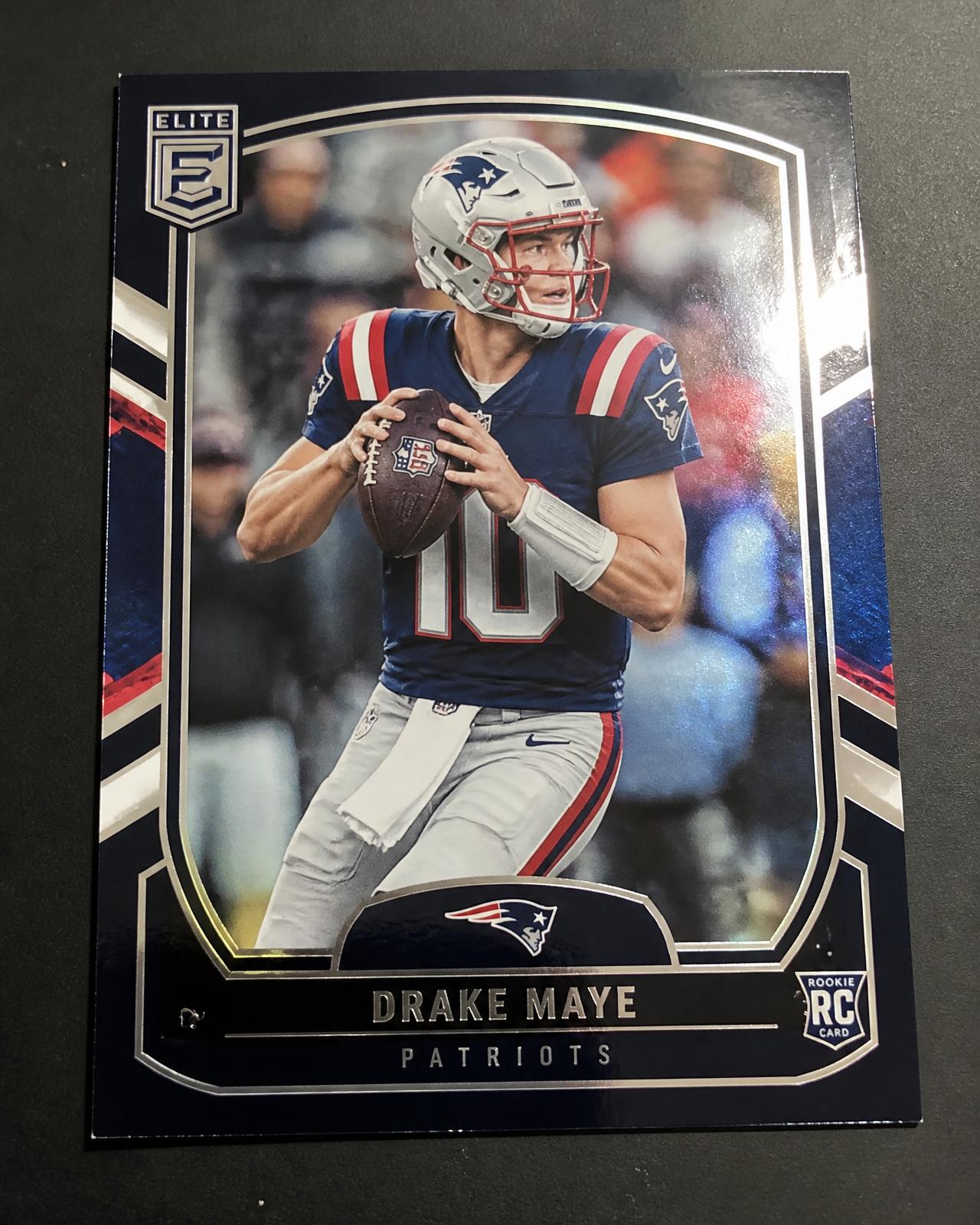
Phone photo
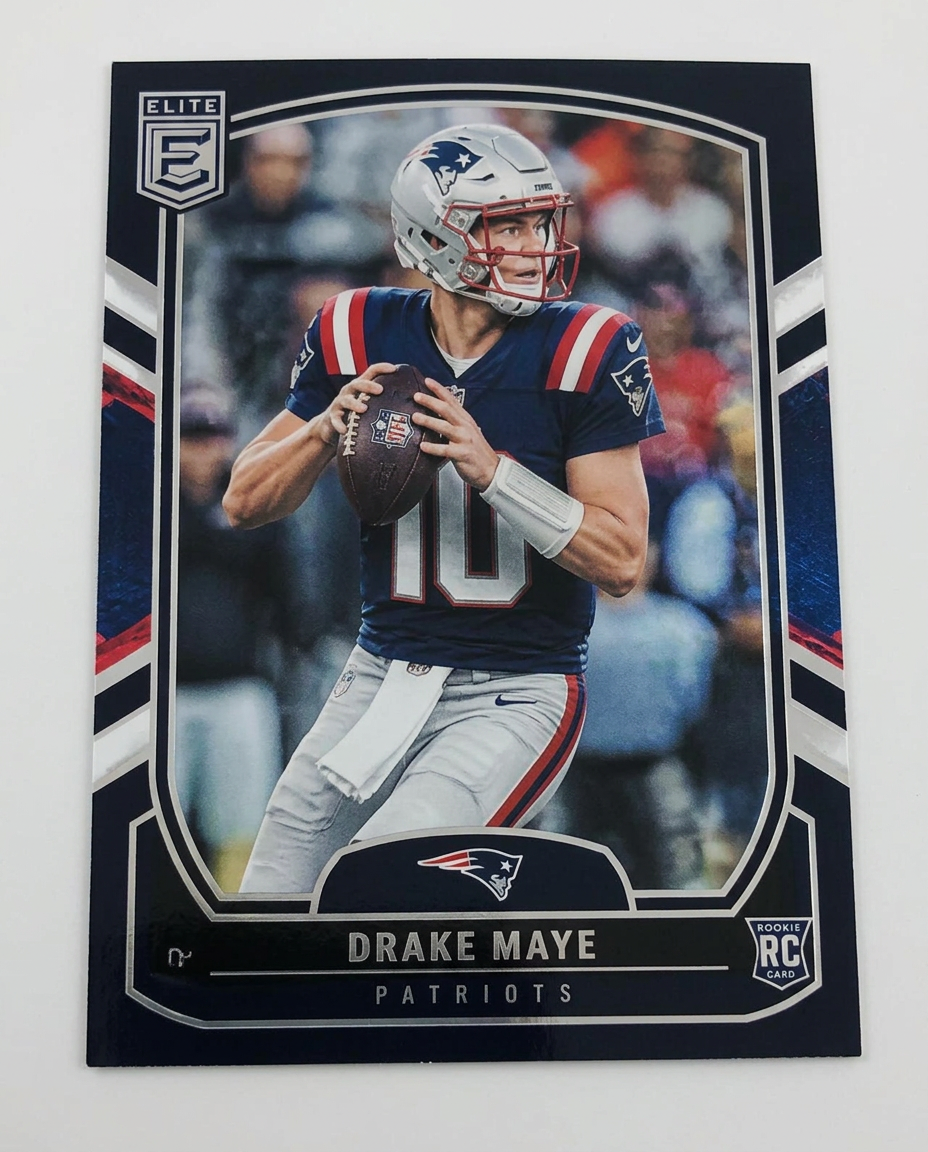
After Sell it
What makes a good sports card listing photo?
Marketplace photography has a narrow job: let a buyer judge this exact card as if it were in their hands. Everything below serves that.
Photograph the actual card
Buyers are evaluating one specific collectible, not a stock image of the same card. Stock photography and other sellers' images give a buyer nothing to judge and are a common source of disputes.Show the front and the back
Card numbering, parallels, serial numbering and a large share of condition evidence live on the back. A front-only listing quietly tells buyers something is being left out.Keep condition visible
Edge and corner wear, scratches, print defects, centring, surface texture and — for slabs — damage to the holder should all remain legible in your photos. Visible condition is what lets a buyer commit.Control glare
Chrome, refractors, foil, penny sleeves, toploaders and slabs all reflect. Diffuse light and a small change in angle usually solve it; direct flash almost never does.Use a clean, consistent presentation
A plain backdrop and a consistent crop keep attention on the card, and make a multi-card store look like a considered one.Preserve accuracy
Editing should improve the photograph — exposure, framing, background, glare — not the collectible. If an edit changes what the buyer would see in hand, it does not belong in a listing image.
Turn a phone photo into a cleaner marketplace listing
Sell it is the CardStudio workflow built for marketplace use. It works from the photos you already take.
1. Photograph your card
Front and back with an ordinary phone. CardStudio gives you framing guidance while you shoot, but any decent, square-on photo works.2. Choose Sell it
Sell it prepares the collectible for marketplace presentation: cleaned-up background, consistent framing, condition detail left alone.3. Export your listing assets
Save the finished images to your device and upload them in your normal eBay, Whatnot or storefront workflow. CardStudio doesn't publish listings for you.
Sell it or Show it off?
Two different jobs. Getting them the right way round protects both your listing and your buyer.
Sell it — recommended for marketplace listings
Built for faithful presentation of the actual collectible and its observable condition. This is the path to use for eBay and similar marketplaces.Show it off — editorial presentation
A more polished, styled image for social posts, showcases and display. A Show it off image may be added to a listing as an extra presentation image — but if you do that, clearly disclose in the listing that the image has been enhanced, and include additional non-enhanced photographs of the actual card. Enhancement must never be used to conceal or misrepresent condition.
The short version: marketplace truth comes first. Sell it for the listing, Show it off as an optional, clearly-labelled extra.
Photographing raw, sleeved and graded cards
Raw cards
Shoot a clean, square-on front and back with the whole card inside the frame, and keep all four corners and both edges readable. Add a close-up wherever condition drives the price.Sleeved and top-loaded cards
Protective plastic adds reflections and a slight haze. Reposition your light or the card to move the reflection off the surface rather than taking the card out — if removing protection risks the collectible, don't.Graded and slabbed cards
The slab is part of what you are selling. Keep the grading label, company, grade and certification number legible, show the holder's own condition, and never present a graded card as though it were out of its case.
Quick tips for better sports card photos
- Clean the camera lens first — most soft card photos are a fingerprint, not a focus problem.
- Use broad, diffuse light: indirect daylight or a large soft source.
- Turn the flash off; it produces a hotspot exactly where the card is.
- Keep the phone square to the card, directly overhead, not at an angle.
- Fill the frame, but leave a small margin so no edge is clipped.
- Photograph both sides in the same light and the same position.
- Check for glare at full size before you move on to the next card.
- Keep the original full-resolution file — don't re-send it through a messaging app.
You don't need a light tent or a copy stand. A good phone photo is enough to start.
Make the listing look better without changing the card
A listing image is evidence. Its job is to help a buyer understand the physical item they are about to pay for.
Sell it is designed around that principle. It works on the photograph — background, framing, consistency — while preserving what the buyer needs to read: the design and artwork, printed text, autographs, serial numbering, borders and centring, card geometry, and visible defects. Show it off is the opposite tool: an editorial image, and labelled as one.
CardStudio does not grade cards, authenticate them, or repair condition, and no software can promise a sale or a price. What it can do is remove the friction between the card on your desk and a listing that shows it honestly.
eBay sports card photo FAQ
What's the best CardStudio workflow for selling a card online?
Can I use a Show it off image in an eBay listing?
Should I edit scratches or edge wear out of my listing photos?
Should I photograph both sides of a sports card?
Can I photograph cards with my phone?
Do I need to remove a graded card from its slab?
How should I handle glare on chrome or foil cards?
How many photos should an eBay card listing have?
Photograph it once. List it cleanly.
Shoot the front and back with your phone, run Sell it, and export listing-ready images.